Radiology IT Glossary: 50 Essential Terms (DICOM, HL7, IHE, VNA & More)
Skip to content Skip to footer

Radiology IT Glossary: 50 Essential Terms Every Imaging Professional Should Know
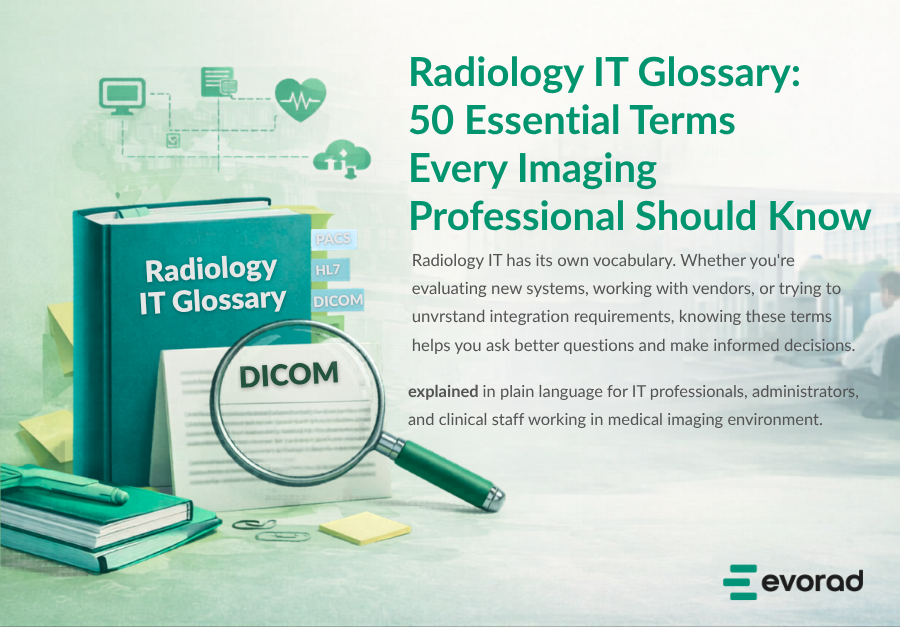
Radiology IT has its own vocabulary. Whether you’re evaluating new systems, working with vendors, or trying to understand integration requirements, knowing these terms helps you ask better questions and make informed decisions.  This glossary covers the essential terminology across standards, infrastructure, workflow, and integration—explained in plain language for IT professionals, administrators, and clinical staff working in medical imaging environments. 

Standards & Protocols 

DICOM (Digital Imaging and Communications in Medicine) 
The international standard for storing, transmitting, and sharing medical images. DICOM defines both the file format (how pixel data and metadata are structured) and the network protocols (how systems send and receive images). Every modality including CT, MRI, X-ray, and ultrasound system speaks DICOM. Without it, medical imaging interoperability would not exist. 
DICOMweb 
A set of RESTful services for accessing DICOM objects over the web using standard HTTP. DICOMweb enables modern, browser-based viewers to retrieve images without traditional DICOM network complexity. Key services include WADO-RS (retrieve), STOW-RS (store), and QIDO-RS (query). 
HL7 (Health Level Seven) 
The standard for exchanging clinical and administrative data between healthcare systems. While DICOM handles images, HL7 handles everything else—patient demographics, orders, results, and scheduling. HL7 v2.x uses pipe-delimited messages; newer HL7 FHIR uses modern web APIs. 
FHIR (Fast Healthcare Interoperability Resources) 
The modern successor to HL7 v2, using RESTful APIs and JSON/XML formats. FHIR is increasingly required for regulatory compliance and enables easier integration with mobile apps, patient portals, and cloud services. Pronounced “fire.” 
IHE (Integrating the Healthcare Enterprise) 
An initiative that defines how existing standards (DICOM, HL7) should be used together to solve specific clinical workflows. IHE publishes “profiles” that specify exactly which transactions systems must support. When a vendor claims “IHE compliance,” they mean they’ve implemented specific profiles. 
IHE Profiles (SWF, XDS-I, PIR) 
Specific IHE integration patterns. Key radiology profiles include: SWF (Scheduled Workflow) for order-to-report coordination; XDS-I for cross-enterprise image sharing; and PIR (Patient Information Reconciliation) for correcting patient identity mismatches. 
Conformance Statement 
A vendor document detailing exactly which DICOM services, transfer syntaxes, and information objects a product supports. Essential reading when evaluating interoperability. Ask for this before any PACS purchase. 

Core Imaging Systems 

PACS (Picture Archiving and Communication System) 
The system that receives, stores, manages, and distributes medical images. PACS replaced film libraries, enabling digital storage and instant retrieval. Modern enterprise imaging platforms extend PACS with workflow orchestration, multi-site distribution, and advanced viewing capabilities. 
RIS (Radiology Information System) 
The operational tool of radiology departments. RIS manages scheduling, patient tracking, exam status, and reporting workflow. While PACS handles images, RIS handles the business process—from order receipt through report distribution. 
VNA (Vendor Neutral Archive) 
A standards-based archive designed to store medical images independently of any specific PACS vendor. VNA protects against vendor lock-in, simplifies migrations, and enables enterprise-wide image access. Think of it as the long-term storage layer that outlives individual PACS implementations. 
HIS (Hospital Information System) 
The hospital’s central administrative system managing patient registration, admissions, billing, and master patient index. HIS feeds demographic data to downstream systems including RIS and PACS. 
EHR / EMR (Electronic Health/Medical Record) 
The patient’s longitudinal clinical record. EHR typically implies cross-organizational sharing capability; EMR usually refers to a single organization’s records. Clinicians access radiology reports and images through EHR integration. 
Enterprise Imaging 
A strategy for managing all clinical images—not just radiology—across an organization. Enterprise imaging encompasses cardiology, pathology, ophthalmology, wound care, and any department producing diagnostic images, unified under common infrastructure. 

Workflow & Worklist 

Modality Worklist (MWL) 
A DICOM service that provides scheduled procedure information to imaging equipment. Instead of manually entering patient demographics at the scanner, technologists select from a worklist populated by RIS. MWL reduces errors and ensures images are correctly associated with orders. 
MPPS (Modality Performed Procedure Step) 
A DICOM service enabling modalities to report what was actually performed—start time, end time, images created, dose delivered. MPPS closes the loop with MWL, confirming the scheduled procedure was completed and how it differed from the plan. 
Worklist (Reading Worklist) 
The radiologist’s queue of studies awaiting interpretation. Effective worklist management—with proper prioritization, subspecialty routing, and SLA tracking—directly impacts turnaround time. Modern teleradiology platforms unify worklists across multiple facilities into a single view. 
Prefetch 
Automatically retrieving relevant prior studies before a radiologist opens a case. Intelligent prefetch anticipates which comparisons will be needed based on exam type, clinical history, and reading patterns—reducing wait time during interpretation. 
Hanging Protocol 
Predefined rules for how images should be displayed when a study opens. Hanging protocols specify which series appear on which monitor, in what layout, with what window/level presets. Good protocols eliminate repetitive manual arrangement. 
Workflow Orchestration 
Automated routing and management of studies through the reading process. Orchestration engines apply rules for subspecialty assignment, priority escalation, load balancing, and SLA monitoring—ensuring cases reach the right reader at the right time. 
Turnaround Time (TAT) 
The elapsed time from study completion to report finalization. TAT is a critical quality metric. STAT studies typically require 60-minute TAT; routine studies may have 24-48 hour targets depending on modality and clinical context. 

Viewing & Display 

Zero-Footprint Viewer 
A browser-based diagnostic viewer requiring no software installation on the user’s device. Image processing occurs server-side; only rendered pixels stream to the browser. Zero-footprint architecture eliminates VPN dependencies, simplifies IT management, and enables reading from any location with internet access. 
Diagnostic Viewer 
A viewer approved for primary interpretation, meeting regulatory requirements for diagnostic-quality display. Diagnostic viewers provide advanced tools—measurements, annotations, multiplanar reconstruction—that clinical viewers for referring physicians may lack. 
Clinical Viewer (Reference Viewer) 
A simplified viewer for clinicians to review images and reports—not intended for primary diagnosis. Clinical viewers typically integrate into EHR workflows and prioritize ease of use over advanced manipulation tools. 
Window / Level (W/L) 
Display settings controlling image contrast and brightness. “Window” (width) determines the range of pixel values displayed; “Level” (center) determines the midpoint. Presets optimize visualization for different tissues—bone, lung, soft tissue, brain. 
MPR (Multiplanar Reconstruction) 
Generating 2D images in planes different from the original acquisition. Axial CT data can be reconstructed into sagittal and coronal views. MPR is essential for cross-sectional interpretation and 3D visualization. 
3D Rendering (VR, MIP, SSD) 
Techniques for visualizing volumetric data. Volume Rendering (VR) shows tissue relationships; Maximum Intensity Projection (MIP) highlights high-density structures like vessels; Surface Shaded Display (SSD) creates surface models. 
Server-Side Rendering (SSR) 
Processing and rendering images on centralized servers rather than local workstations. SSR enables zero-footprint viewing, ensures consistent performance regardless of client hardware, and keeps sensitive image data off endpoint devices. 

DICOM Technical Concepts 

AE Title (Application Entity Title) 
A unique identifier for a DICOM node on a network. Every device sending or receiving DICOM data—scanners, PACS, workstations—has an AE Title. Configuring AE Titles correctly is essential for DICOM connectivity. 
SCP / SCU (Service Class Provider / User) 
Roles in DICOM communication. The SCP provides a service (e.g., PACS storing images); the SCU uses that service (e.g., modality sending images). A single system can act as SCP for some services and SCU for others. 
DICOM Services (C-STORE, C-FIND, C-MOVE, C-GET) 
C-STORE: Send images to a destination. C-FIND: Query for studies matching criteria. C-MOVE: Request images be sent to a third party. C-GET: Retrieve images directly to the requestor. 
Transfer Syntax 
Specifies how DICOM data is encoded—byte ordering, compression, and encapsulation. Common syntaxes include Implicit VR Little Endian, Explicit VR Little Endian, and various JPEG compressions. Mismatched transfer syntax support causes connectivity failures. 
SOP Class (Service-Object Pair) 
Defines what type of object (CT Image, MR Image, Structured Report) and what services apply to it. Each modality and document type has specific SOP Classes. Systems must support the relevant SOP Classes to handle particular image types. 
DICOM SR (Structured Report) 
A DICOM format for encoding clinical reports with structured, coded content rather than free text. DICOM SR enables machine-readable findings, measurements, and CAD results that can be processed by other systems. 
GSPS (Grayscale Softcopy Presentation State) 
A DICOM object storing display settings—window/level, zoom, annotations, and shutters—separately from image data. GSPS allows radiologists to save their presentation without modifying original images. 

HL7 Message Types 

ADT (Admit, Discharge, Transfer) 
HL7 messages communicating patient movement events—admission, discharge, transfer, registration, and demographic updates. ADT messages keep patient information synchronized across hospital systems. 
ORM / OMI (Order Messages) 
HL7 messages for placing, modifying, and cancelling orders. ORM (general order) and OMI (imaging order) carry the procedure request from ordering system to RIS/PACS, initiating the imaging workflow. 
ORU (Observation Result) 
HL7 messages delivering clinical results—including radiology reports—back to the ordering system and EHR. ORU messages close the order-to-result loop, making reports available where clinicians need them. 

Infrastructure & Architecture 

DICOM Router (DICOM Gateway) 
A system that receives DICOM objects and routes them to appropriate destinations based on configurable rules. Routers can filter, modify, compress, anonymize, or split studies as they flow through the imaging network. 
Integration Engine (Interface Engine) 
Middleware that translates messages between systems using different formats or protocols. Integration engines handle HL7, FHIR, and custom interfaces—essential for connecting disparate healthcare IT systems. 
Cloud PACS 
PACS infrastructure hosted in cloud data centers rather than on-premises servers. Cloud PACS reduces capital expenditure, simplifies scaling, and enables remote access—though data residency and latency require careful evaluation. 
Hybrid Architecture 
Combining on-premises and cloud components. Many organizations deploy local edge nodes for performance and continuity while leveraging cloud for storage scaling, disaster recovery, and remote access. Hybrid balances control with flexibility. 
Edge Node (Edge Cache) 
Local infrastructure at a facility that caches images, accepts modality connections, and provides continuity if WAN connectivity fails. Edge nodes enable cloud architectures to maintain local performance and resilience. 

Security & Compliance 

HIPAA (Health Insurance Portability and Accountability Act) 
U.S. regulation establishing privacy and security requirements for protected health information (PHI). HIPAA compliance mandates access controls, audit trails, encryption, and breach notification for systems handling patient data—including PACS and imaging viewers. 
GDPR (General Data Protection Regulation) 
European regulation governing personal data protection. GDPR requires explicit consent, data minimization, the right to erasure, and breach notification. Particularly relevant for cross-border teleradiology and cloud deployments serving EU patients. 
Audit Trail (Audit Log) 
A chronological record of who accessed what data and when. Audit trails are required for compliance and essential for investigating security incidents. IHE’s ATNA profile defines standard audit message formats for healthcare. 
De-identification / Anonymization 
Removing or obscuring patient-identifying information from DICOM objects. Required for research use, teaching files, and cross-institutional sharing. DICOM specifies which attributes contain PHI; automated tools systematically remove or replace them. 

Teleradiology & Remote Reading 

Teleradiology 
The practice of transmitting medical images from one location to another for interpretation by radiologists working remotely.Teleradiology enables 24/7 coverage, subspecialty access, and workload balancing across geographically distributed teams. Modern teleradiology solutions use browser-based viewers to eliminate VPN complexity. 
SLA (Service Level Agreement) 
Contractual commitments defining turnaround time, availability, and quality metrics. Teleradiology SLAs typically specify maximum TAT by priority level—e.g., 60 minutes for STAT, 24 hours for routine—with penalties for non-compliance. 
Subspecialty Routing 
Automatically directing studies to radiologists with appropriate expertise—neuroradiology, musculoskeletal, paediatric, and breast imaging. Intelligent routing improves diagnostic quality and ensures complex cases reach qualified readers. 
Critical Results Communication 
The process of urgently notifying referring physicians about unexpected, life-threatening findings. Regulatory and accreditation requirements mandate documented communication with acknowledgement. Automated systems track notification, escalation, and closure.   
See These Concepts in Action 
Understanding radiology IT terminology is the first step. Seeing how modern platforms implement these standards is the next.  evorad’s enterprise imaging platform brings together PACS, zero-footprint viewing, workflow orchestration, and VNA in a unified architecture built on the standards described above—DICOM, DICOMweb, HL7, FHIR, and IHE profiles.  → Explore the evorad Platform  → See evoViewer Zero-Footprint Diagnostic Viewer  → Learn About evoTelerad Remote Reading